FeaturesDocsDownload

Now in beta for Mac

The AI mixing tool built for real musicians.

Wisdom Pro is an opinionated DAW. Its AI mixing is built on established best practices, role-by-role rules for every part of the song, and years of study: the wisdom of the masters and the pros. Use the plug-ins you know and love, and keep full control over the final mix.

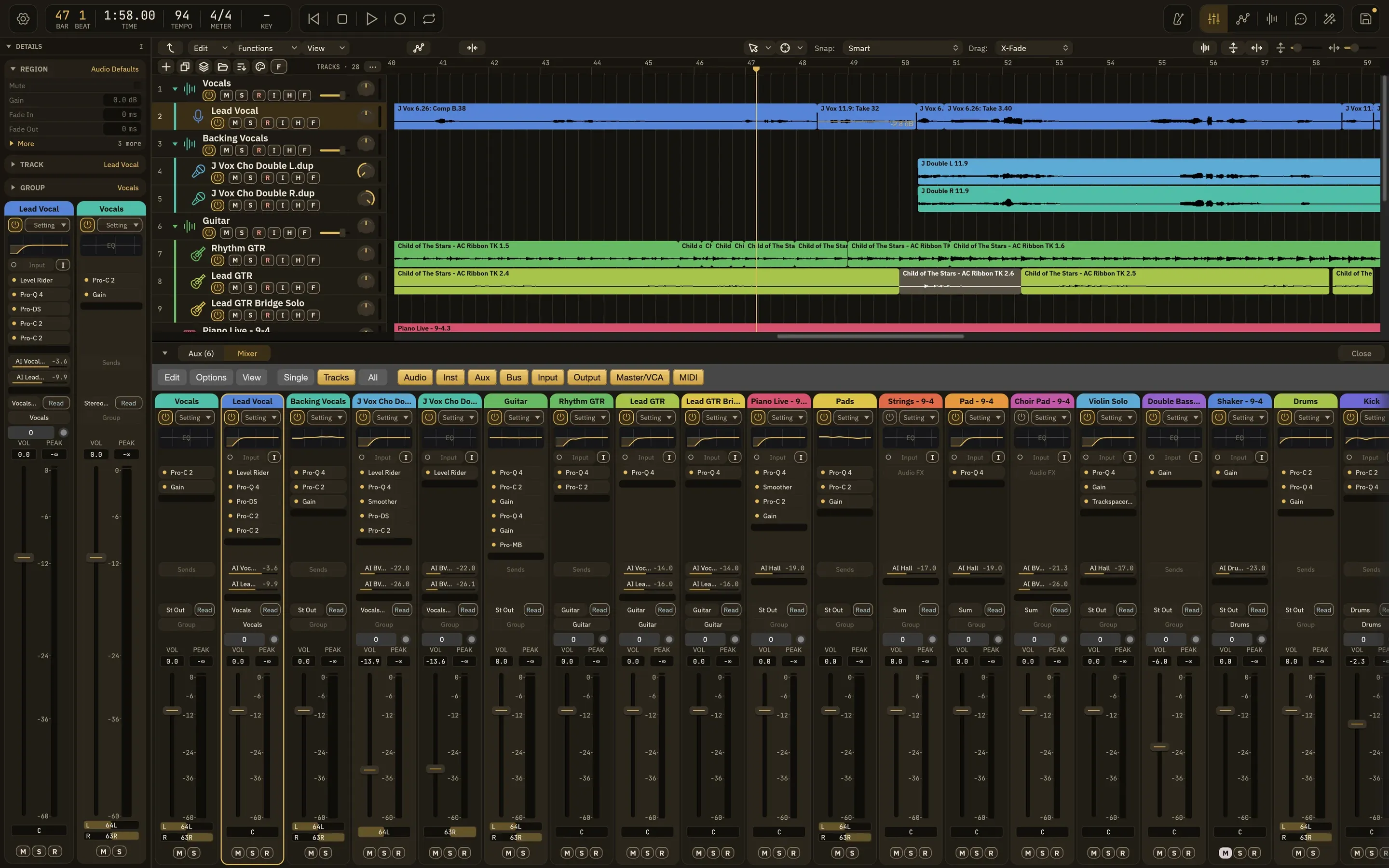
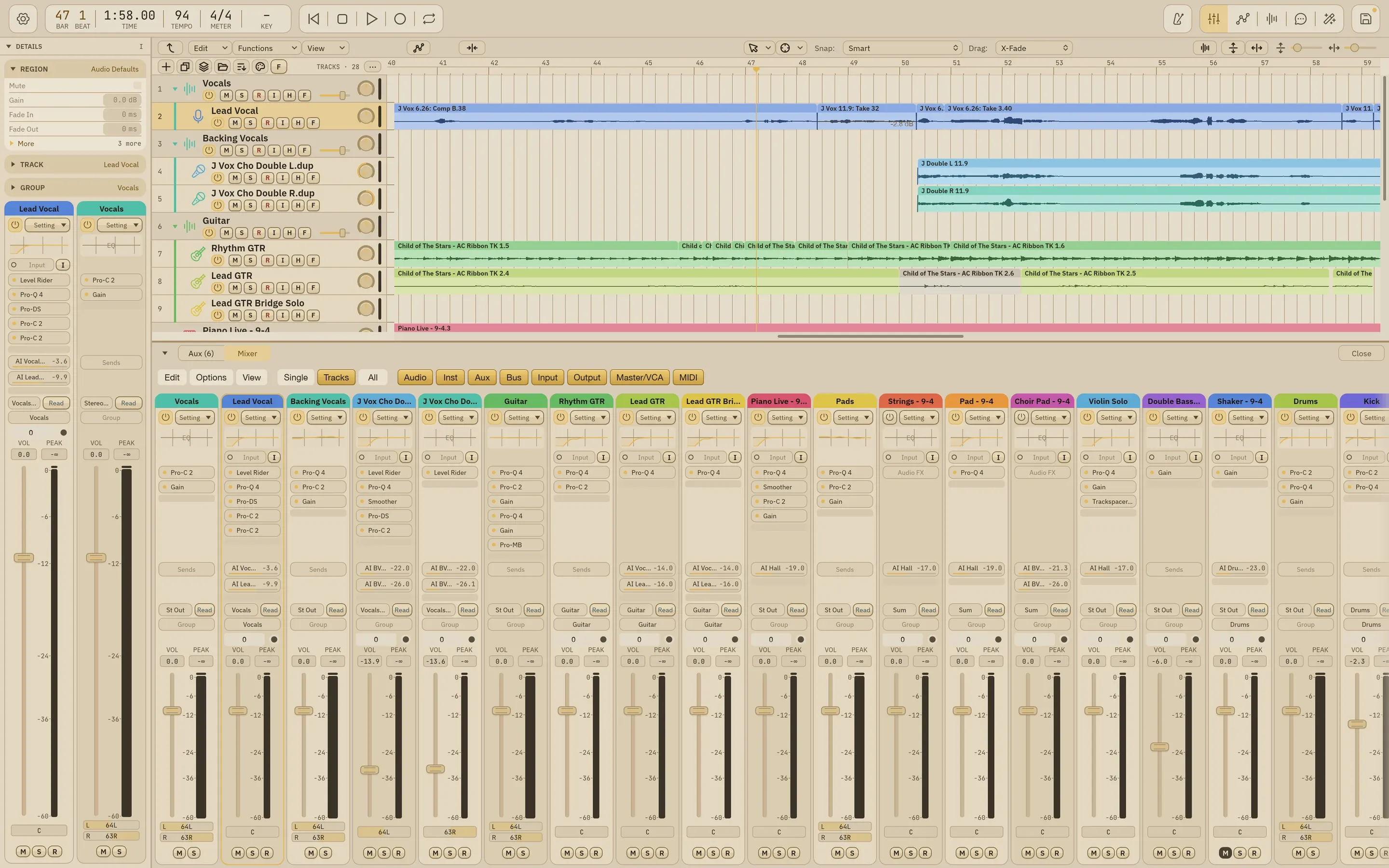
The Wisdom Pro window

Why Wisdom

Use Wisely

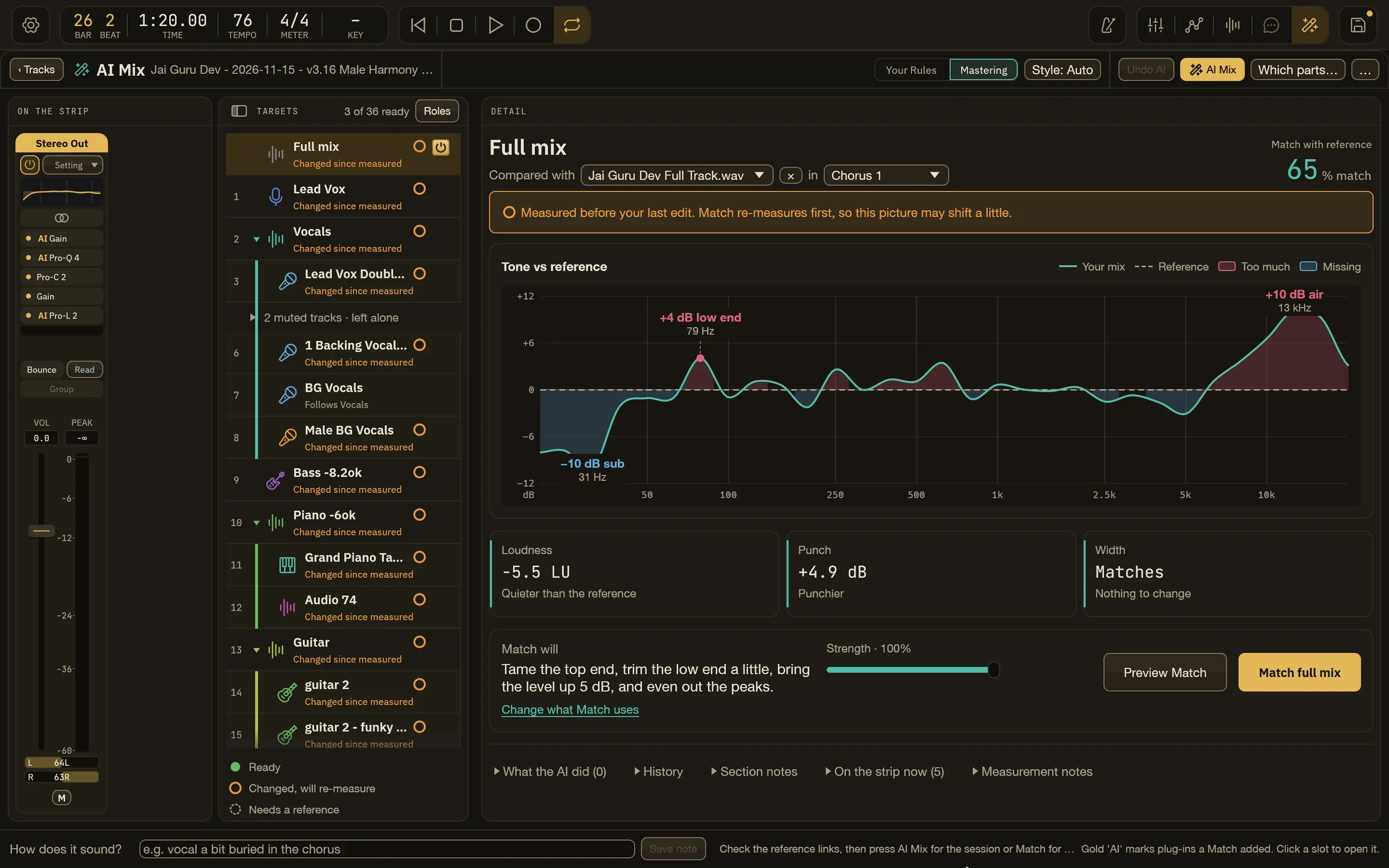
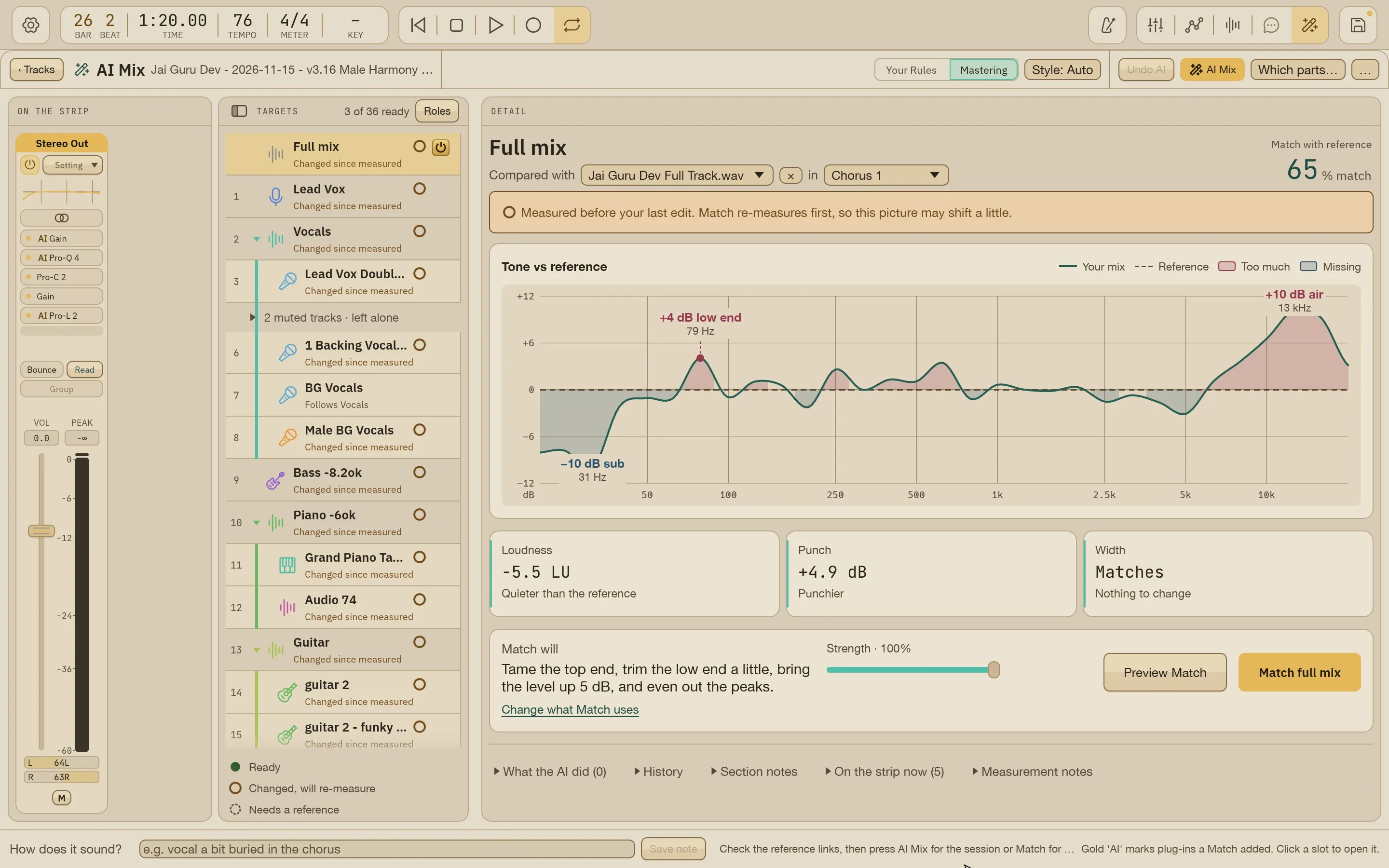
The AI Mix screen on Jai Guru Dev, open: the full mix compared with its reference in chorus 1, with the tone curve, Loudness, Punch, Width and what Match will do.The AI Mix screen on Jai Guru Dev, open: the full mix compared with its reference in chorus 1, with the tone curve, Loudness, Punch, Width and what Match will do.

Your mix, moved toward a song you love

Give AI Mix a reference: a finished song you love, plus its stems if you have them. It links each Summing Stack or track to the matching reference stem by name and part, and the full mix to the full song; you can change any link. Then it moves EQ, dynamics, balance and space toward the reference.

  • It works with the pro plug-ins you already own, such as FabFilter and Valhalla, and leaves them open to adjust
  • A run leaves your faders alone, and one undo takes the whole run back
  • The matching runs on your Mac: no account or API key needed
  • Runs only when you ask, and records what it read and what it changed
Learn how it works
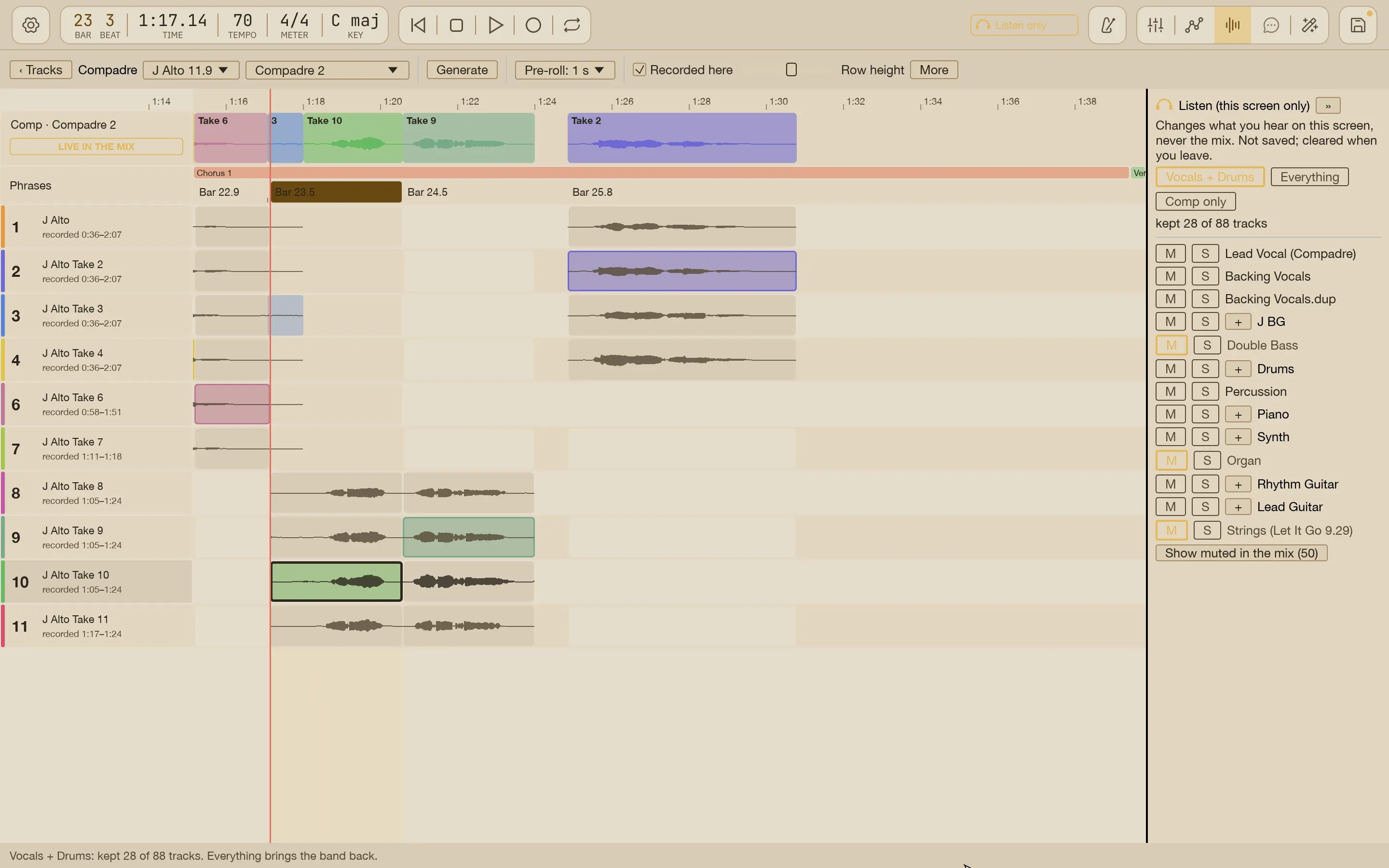
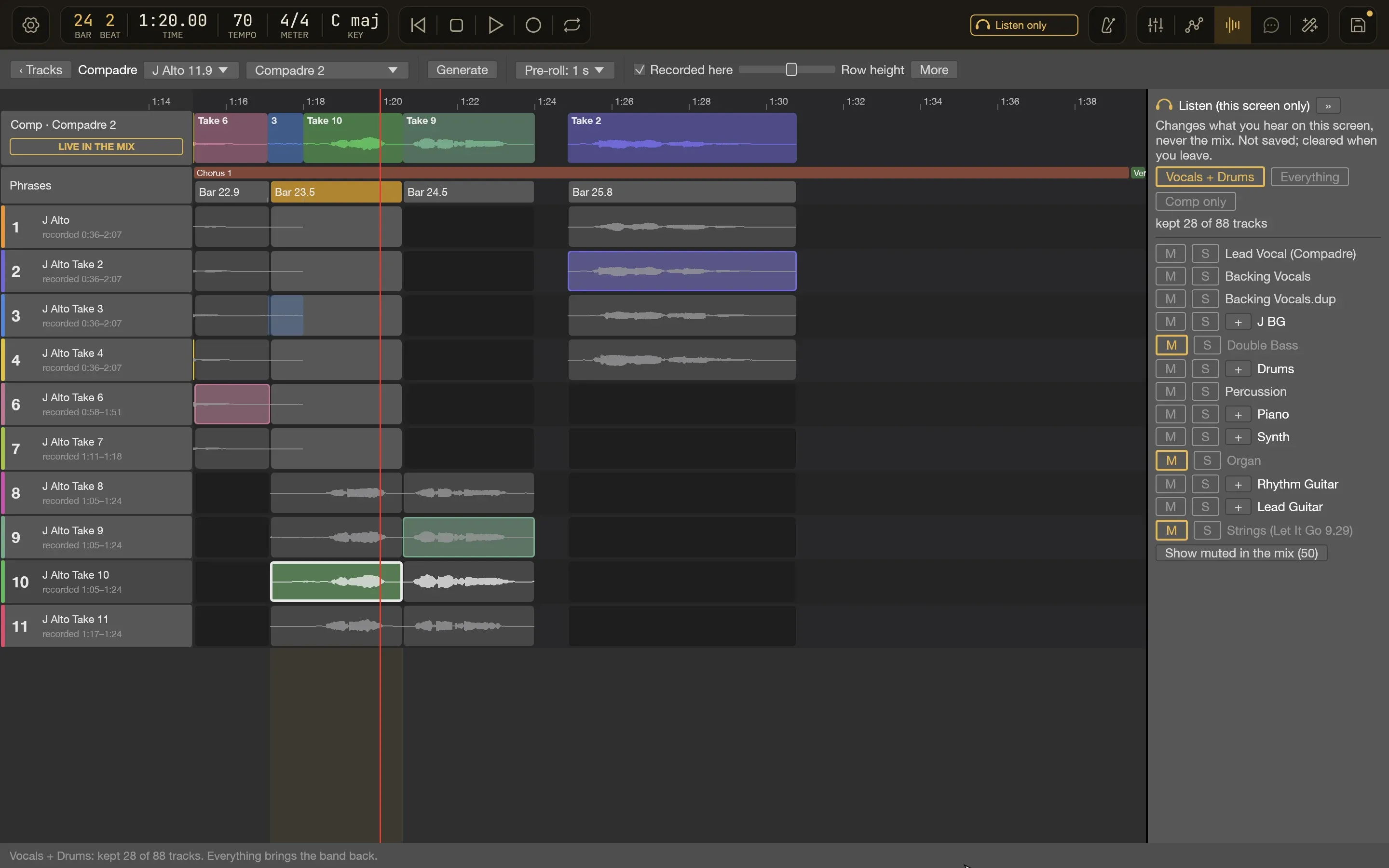
Compadre on Time To Let Go, open: the J Alto take group with 11 takes and the comp built phrase by phrase through chorus 1.Compadre on Time To Let Go, open: the J Alto take group with 11 takes and the comp built phrase by phrase through chorus 1.

AI-facilitated comping

Group your takes and Compadre suggests a comp, scoring every phrase of every take for level, clipping, tone and continuity. You choose phrase by phrase, hearing each choice in the context of the mix.

  • Vocal, guitar and other instrument takes
  • Every comp is kept, so you can go back
  • The first pick works right away
Learn how it works
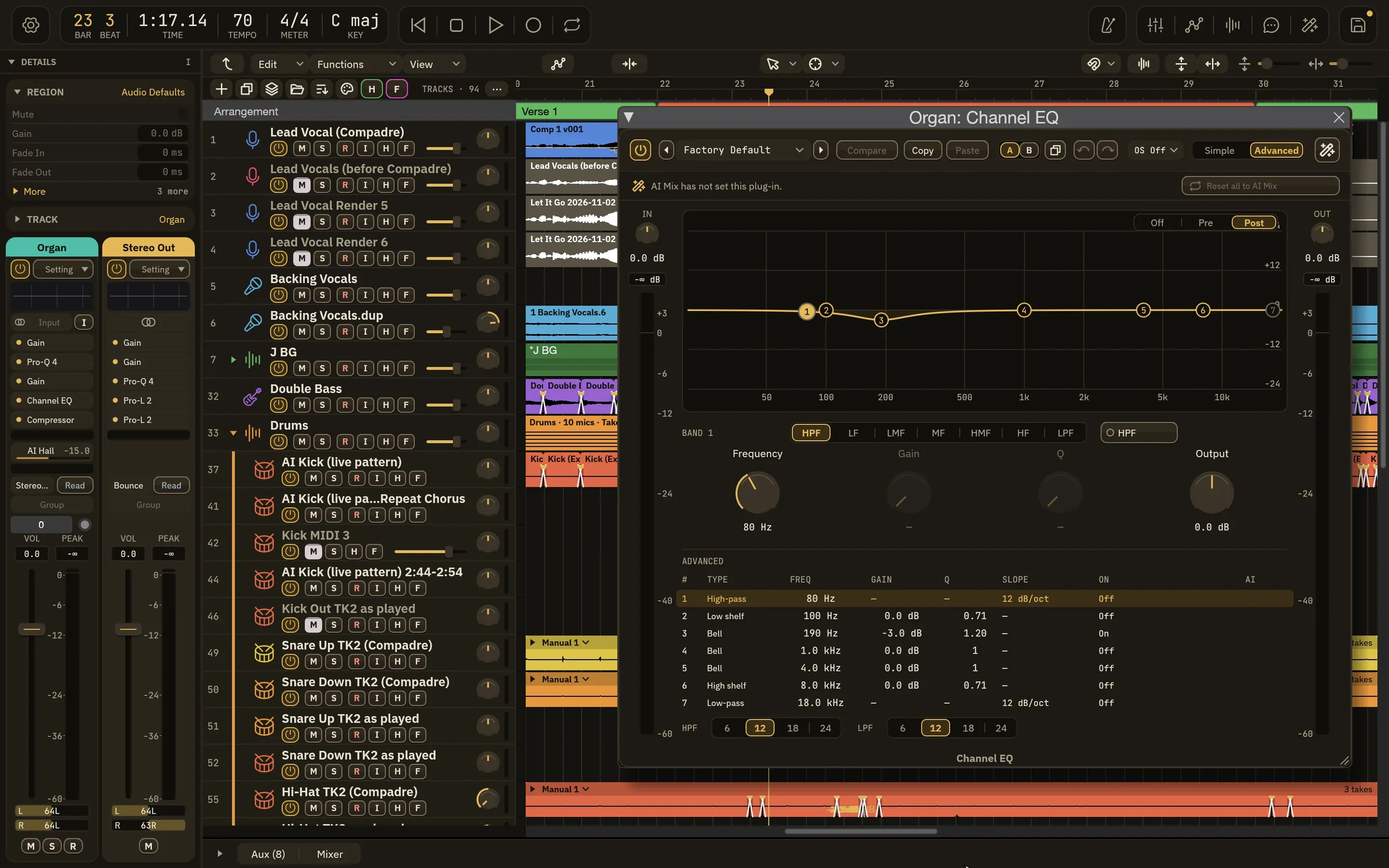
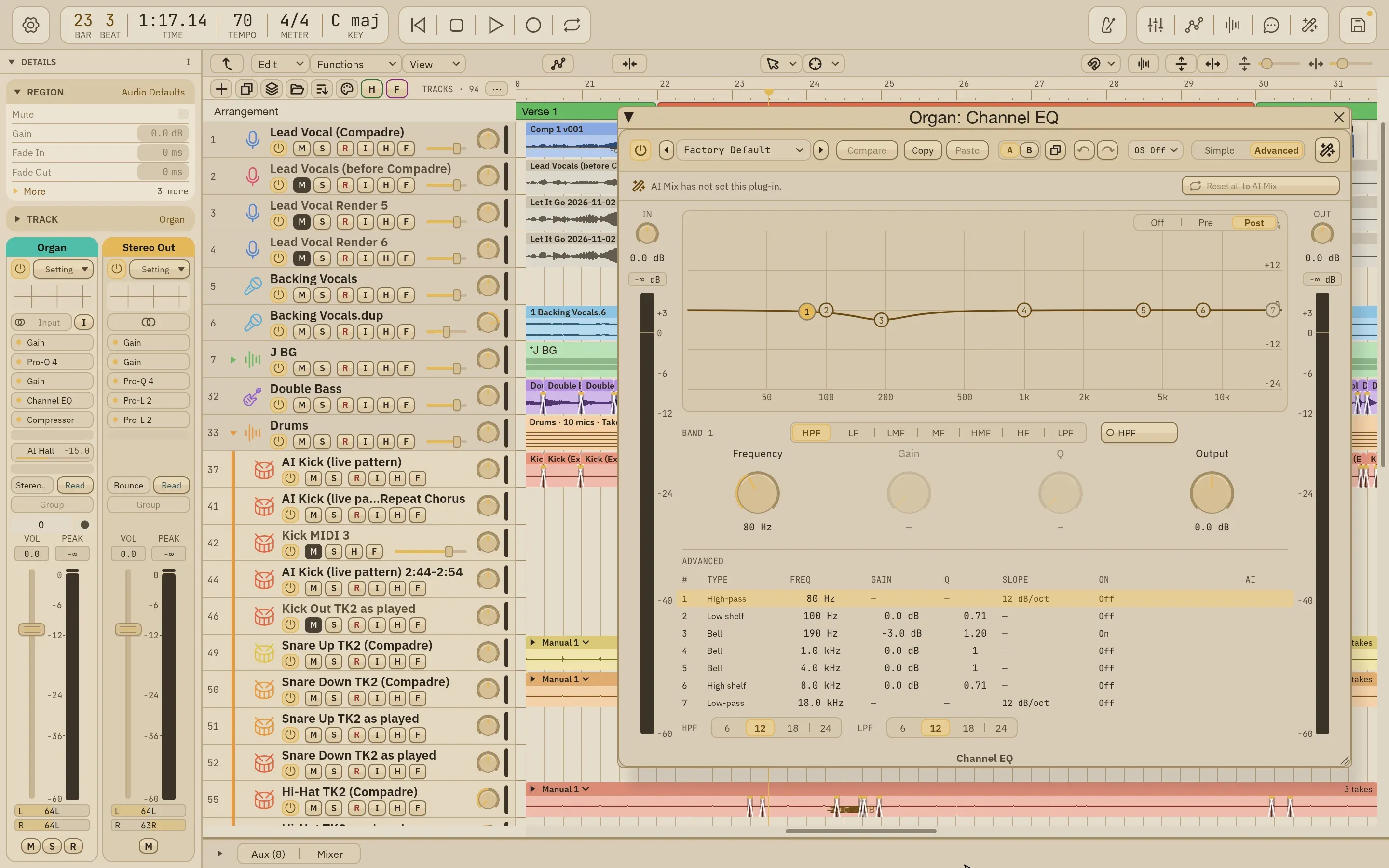
The Channel EQ editor open on the Organ track of Time To Let Go: a high-pass filter and a 3 dB cut at 190 Hz.The Channel EQ editor open on the Organ track of Time To Let Go: a high-pass filter and a 3 dB cut at 190 Hz.

Native plug-ins, and the ones you love

Wisdom Pro has its own processors with editors made for mixing, and it hosts the Audio Unit plug-ins you already own. AI Mix sets up the third-party plug-ins you have installed.

  • Native editors in the Wisdom look
  • Audio Unit hosting
  • Your settings stay yours
Learn how it works
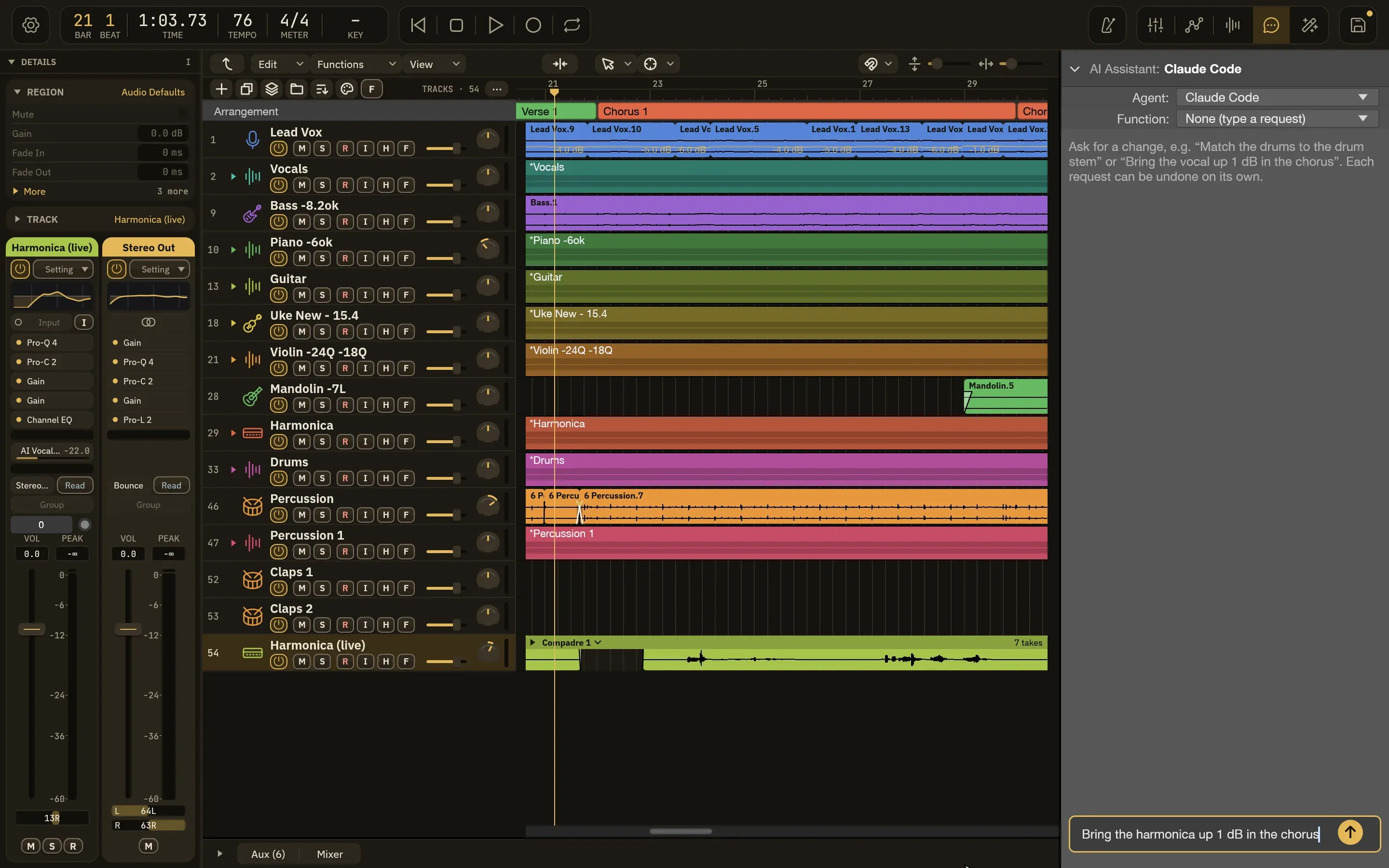
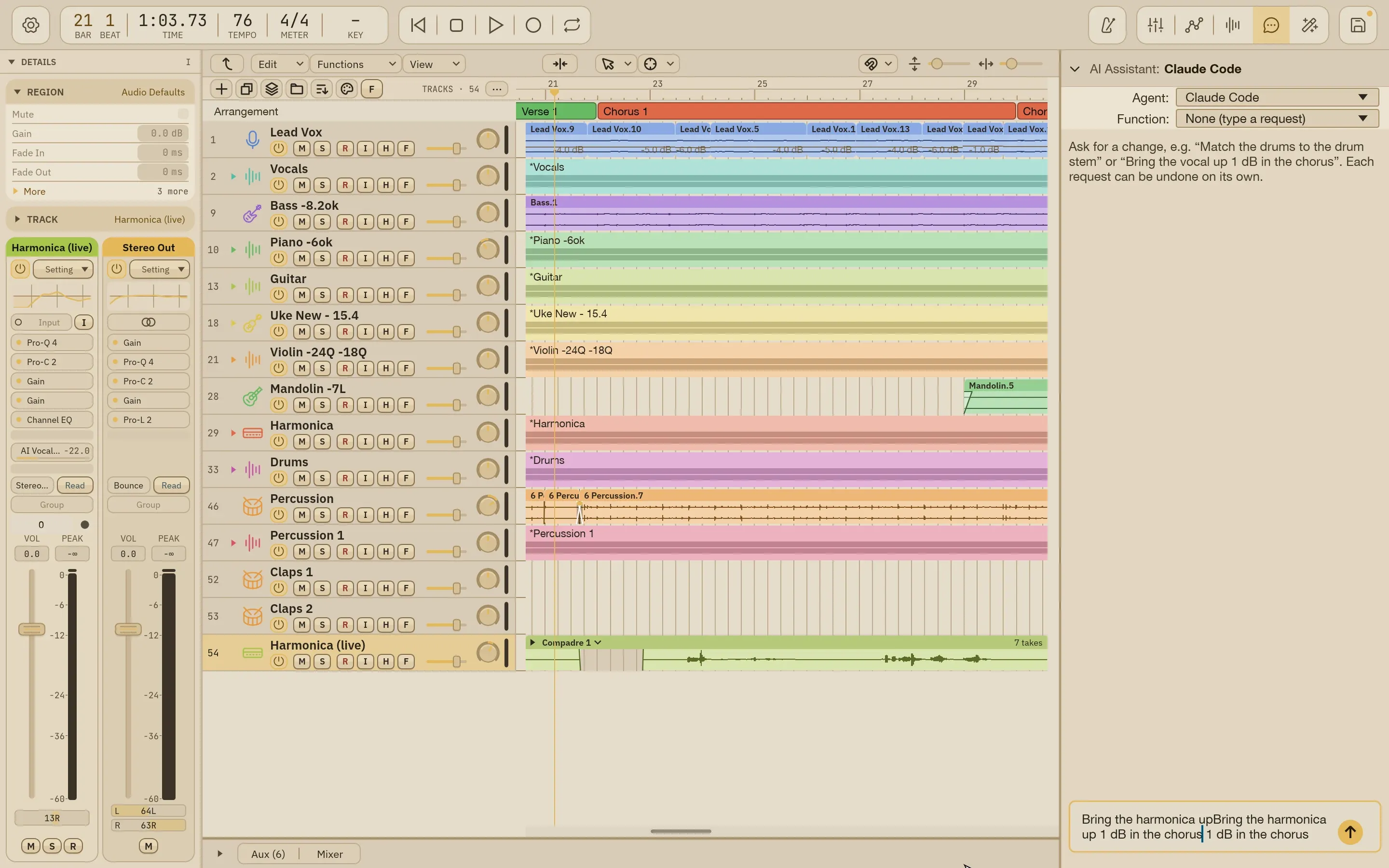
The AI Assistant open on Jai Guru Dev with a request typed in: Bring the harmonica up 1 dB in the chorus.The AI Assistant open on Jai Guru Dev with a request typed in: Bring the harmonica up 1 dB in the chorus.

Say what you hear

Type what you hear in plain words and an AI agent makes the change in your open session while you watch. Every request gets its own Undo.

  • Bring your own key: your own Claude Code or Codex sign-in, your own OpenRouter API key, or a command of your own
  • An Undo button for every request
Learn how it works

Bring your own key. The assistant and AI Mix's optional AI steps run on your own AI provider: your Claude Code or Codex sign-in, or your own OpenRouter API key. AI Mix's matching itself runs on your Mac and needs no key.

It has an MCP server. Claude and other AI agents can drive Wisdom Pro over MCP: headless, with no window, or connected to the running app, where they can also take screenshots and click. Headless, its file access can be kept to the folders you choose. Set it up

Opinions

Wisdom Pro is an opinionated mixing agent for your music.

It has views on how a mix should be made, and it keeps them out of your way. Here are a few.

Mix from your terminal or the built-in assistant in plain words: “the snare’s too quiet in chorus 1,” “tighten the piano.” The agent makes the edit; you listen.

Nothing is ever overwritten. Each version is saved automatically, with a name like Song - YYYY-MM-DD - v3.19 Snare Up.

Every version keeps a song history of what changed, why, and who asked, so you can go back to any point.

Mix mode follows your own mixing rules. Mastering mode mixes toward a finished, release-ready master: gain-staged, balanced and limited.

Take tone from any reference track (a demo, a record you love) and levels from the version you approved, so a re-run never throws away your balance.

Level moves go on a gain stage at the end of the chain, never the fader, so the fader stays free and AI Mix never overwrites your moves.

Wisdom hosts your own AU, VST3 and CLAP plug-ins, plus ARA tools like Melodyne and PitchNet, and AI Mix learns their controls.

Compadre recommends comps from all your takes in three styles (Tight, Balanced, Natural) and shows why on every phrase. You still choose.

Whole phrases move so downbeats land, never with a cut inside a word. Drums lock to the kick and bass, not the grid.

Every mute, edit and crossfade fades with the sound, even during playback.

A delivery gate checks drum edits for flams, overlaps and drag, and makes short spot bounces before a version goes out.

Every version comes with a short note that says what changed, in the words a musician uses.

Use your own model provider. No lock-in.

You decide what the AI touches

AI Mix never runs on its own. Opening, saving and fine-tuning keep your mix exactly as you left it. Each run writes a report of what it read and what it changed, and Song History keeps them with the song.

Re-run only the parts that changed, redo a single step without losing your hand edits, and use per-song settings to tell AI Mix how you want this song handled. One undo takes a whole run back.

How reports work

Mix your next song in Wisdom Pro

Download it for your Mac, or join the hands-on beta and tell us how you work.